
Using the cPGuard tool in cPanel, you can verify that your website has not been infected by malware.
When to use it:
- After updating WordPress or other website files.
- After migrating your website or restoring it from a backup.
- If you suspect that your website may have been compromised.
- If you simply want to check that everything is secure.
How to run a manual scan
- Log in to your account in the Area IT Client Portal.
- Open cPanel.
- In the cPanel search bar, type "cp". The cPGuard option will appear in the search results—click it.

4. In the top menu, select Manual Scan to start a manual scan.

- Select the domain you want to scan.
- Full Scan – Scans your entire hosting account.
- Quick Scan – Scans a single website.
- Path Scan – Scans only a specific directory.
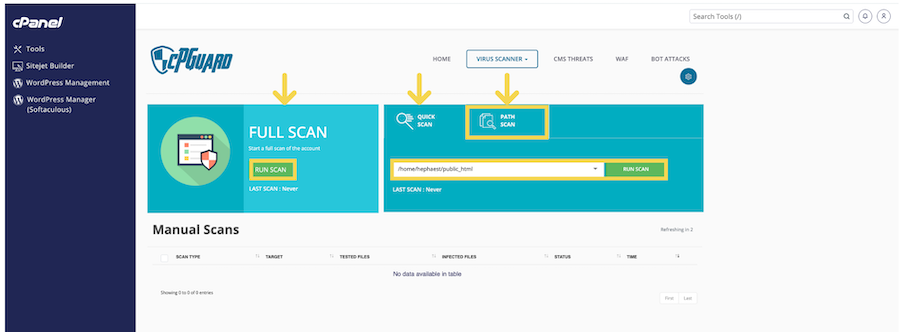
6.The scan will now begin. In this example, we selected Quick Scan to scan a single website.

7. In this example, the scan results show that no malware was detected. If your scan displays any threats or suspicious findings, be sure to contact your IT administrator or the Area IT Support team for assistance.


