
Below the article you can find a video about installing plugins.
You can install the plugins you need to create and maintain your website through A) cPanel or B) your website administration www.jusudomens.lv/wp-admin. Choose the method that is most convenient for you.
A) Installing plugins cPanel
Log in to cPanel. https://yourdomain.lv/cpanel (use your domain)
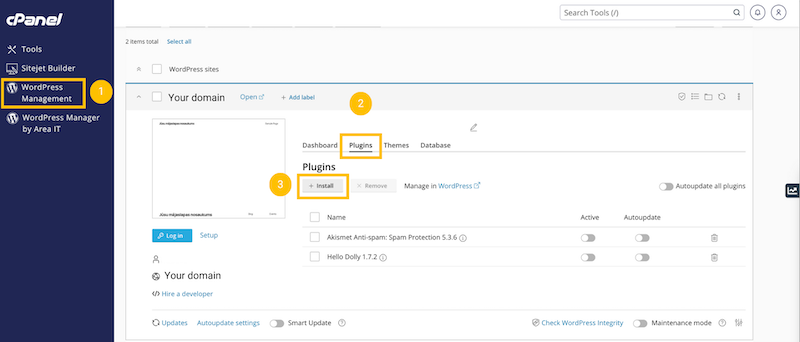
- Select the "WordPress Management" function
- Select the "Plugins" tab
- Click the "Install" button
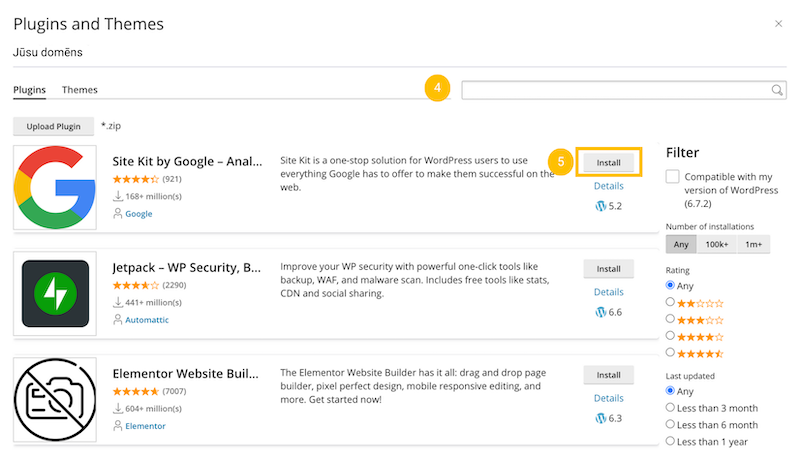
4. In the search box, you can type the plugins you want to find and install.
The most popular and frequently used:
- Elementor - for easy website creation and content updating
- Site Kit by Google - statistics
- Yoast SEO - better search results on Google
- Duplicate Page - for easy page/article cloning
- Contact Form 7 / WPForms - for creating contact forms
- CookieYes - Cookies
5. Click the "Install" button. The plugin will be activated automatically.
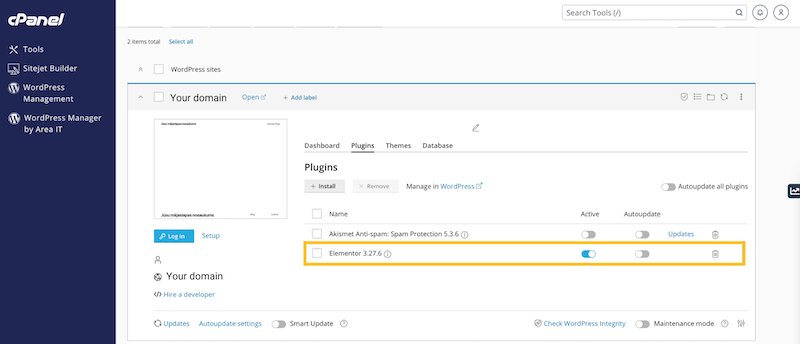
Installed and activated plugins will be displayed in a list. You can deactivate and/or delete them if you installed a plugin by mistake or if you no longer need it.
B) Install plugin via www.yourdomain.eu/wp-admin
You can also install plugins through your website administration system. Log in to your website administration system using the username or email and password you created.
- In the left navigation bar, go to the "Plugins" section.
- Select the "Add New Plugin" button.
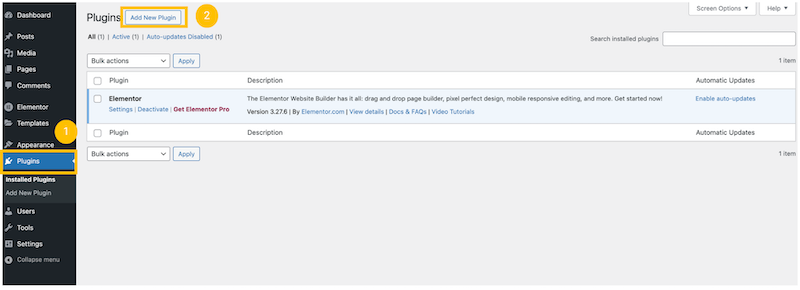
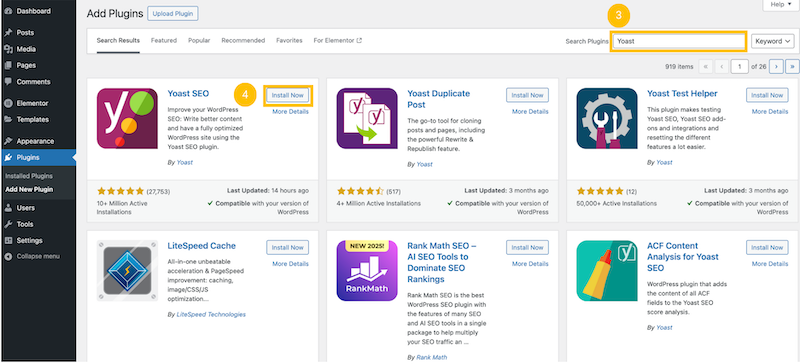
3. In the search bar, type the name of the plugin you want to install.
The most popular and frequently used:
- Elementor - for easy website creation and content updating
- Site Kit by Google - statistical data
- Yoast SEO - better Google search results
- Duplicate Page - for easy page/article cloning
- Contact Form 7 / WPForms - for creating contact forms
- CookieYes - Cookies
4. Click the "Install" or "Install Now" button.
5. After installation, you will need to activate it.
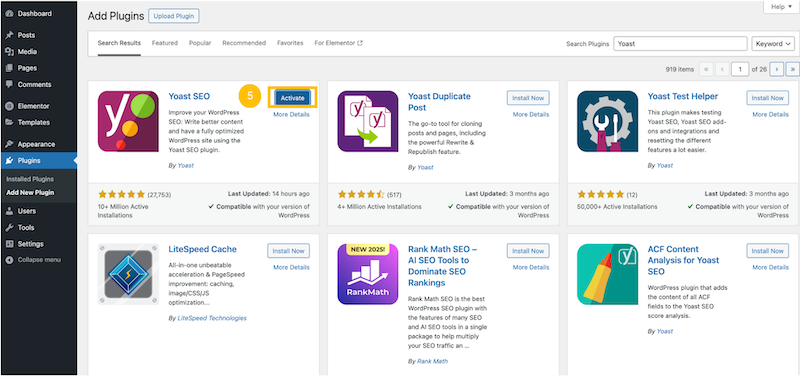
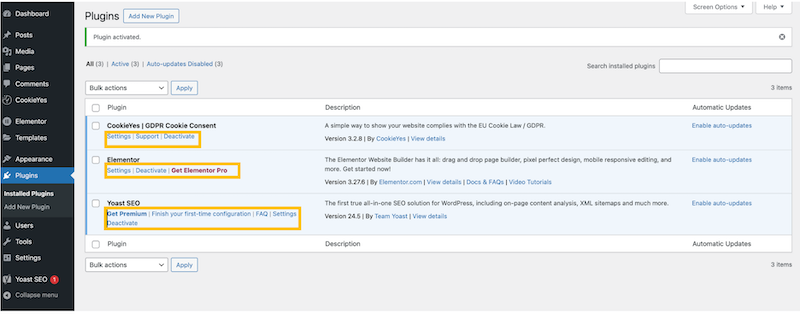
You can find all plugins in the "Plugins" section. Here you can also "Deactivate" them if you no longer need them or want to disable them for a while. As well as edit their "Settings". Here you can also delete plugins, as well as purchase, for example, the Pro version / Premium, etc.
Video - How to install a new plugin?


